We are pleased to announce a major enhancement to the Financial Module — introducing a new approval process for merchant invoices.
This improvement adds an extra layer of verification before payments are processed, providing greater accuracy, transparency, and control over financial operations.
🆕 New Feature: “Submitted” Status for Invoices #
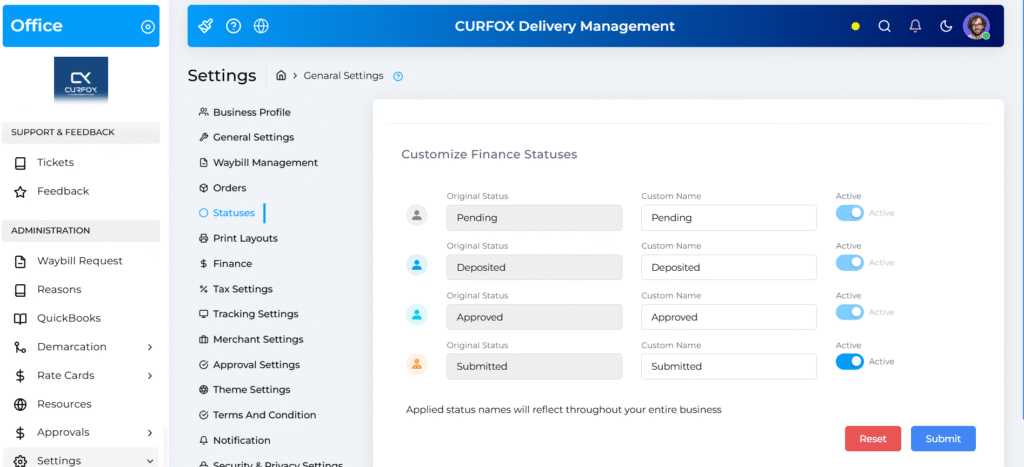
A new “Submitted” status has been added to the invoice workflow as an intermediary stage between “Pending” and “Deposited.”
- When a payment is made for a Pending invoice, it now automatically transitions to the Submitted state.
- The invoice will remain in this status until it is approved or rejected by an authorized user.
- This feature can be enabled or disabled based on your company’s workflow preferences via Settings → Statuses → Finance Statuses
👥 Improved Permissions & Workflow Control #
To complement this update, new granular user permissions have been introduced:
- Administrators can assign specific roles the authority to Approve or Reject submitted invoices.
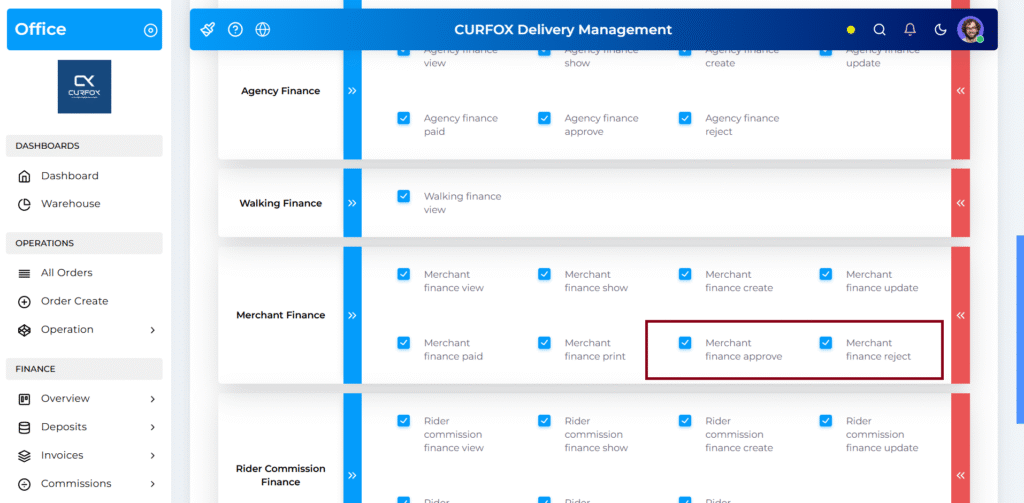
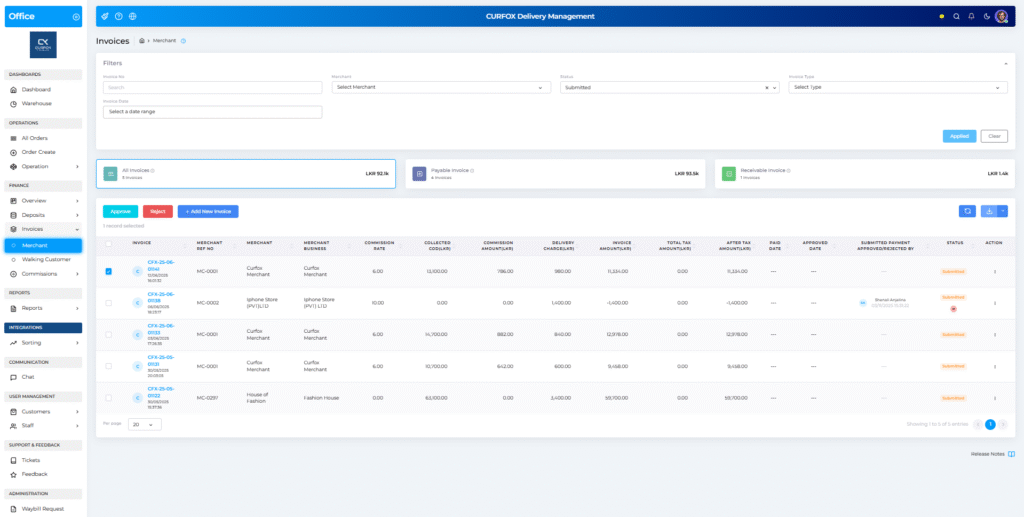
- Only users with these permissions will see the “Approve” and “Reject” buttons on invoices in the Submitted state.
- Upon approval, the invoice automatically moves to the Deposited status.
- The system now logs the approver’s name, decision, and timestamp in a new finance column:
“SUBMITTED PAYMENT APPROVED/REJECTED BY.”
📈 Key Benefits #
- Enhanced Financial Accuracy: Introduces a double-check mechanism before payments are finalized.
- Stronger Access Control: Ensures that only authorized roles can approve or reject invoices.
- Comprehensive Audit Trail: Tracks every decision for greater accountability and transparency.
- Flexible Configuration: Administrators can enable or disable the approval workflow to match business needs.
✅ Summary #
This release marks a significant step forward in strengthening Curfox’s financial governance.
With the new Submitted status and approval permissions, teams gain tighter control, improved security, and better visibility over merchant invoice payments.


