Skip to content

Curfox Docs

Curfox Docs

Back to Web

πŸš€ Flag Management Feature

HomeπŸš€ Flag Management Feature

RELEASE NOTES

41
  • Pre Release Note V3.33.0
  • Release Note V3.32.0
  • Release Note V3.31.0
  • Release Note V3.30.0
  • Release Note V3.29.0
  • Release Note V3.28.0
  • Release Note V3.27.0
  • Release Note V3.26.0
  • Release Note V3.25.0
  • Release Note V3.24.0
  • LOGIN AND START THE JOURNEY WITH CURFOX
  • Introduction to Curfox
  • What Intricate Ecosystems Thrive Along the Banks of Rivers?
  • πŸš€ New Feature Release: Billing City Override Setting
  • πŸš€ Enhanced SMS Notifications for Rescheduled Deliveries
  • πŸš€Bypass ‘Dispatch from Origin Warehouse’ Status for Invalid Destination Cases
  • πŸš€Sorting History for Enhanced Tracking
  • πŸš€Enhanced SMS Provider Configuration
  • πŸš€Rate Card Approval Option – Phase 1
  • πŸš€Warehouse Sorting Device Management
  • πŸš€WhatsApp Messaging Integration
  • πŸš€Proof Upload Feature
  • πŸš€Filter Saving Option
  • Pre Release Note – V3.38.0.14
  • πŸš€ Pre Release Note – V3.38.11
  • Pre Release Note V3.38.0.13
  • πŸš€ Release Note : Add Redelivery Flag for Failed to Deliver
  • Release Note : New Curfox Rider App
  • Release Note 3.38.0.12
  • Release Note – 3.38.10
  • Release Note 3.38.0.10
  • πŸ“Œ Release Note: Redelivery Flag for Verify Failed to Deliver
  • Release 3.38.07
  • Release 3.38.08
  • 🚚 Release Note: New Dispatch Reporting Module
  • Release Note V3.38.0.6
  • πŸš€ Flag Management Feature
  • πŸš€New Status for Status Flow “Verify Failed to Deliver”
  • πŸš€ Image Scan Upload
  • πŸš€Geofencing Module
  • Release Note V3.38.6

RIDER APP

2
  • User Guide
  • Release Note : New Curfox Rider App

LOCAL RELEASE NOTES

8
  • Pre Release Note – V3.38.0.14
  • Pre Release Note V3.38.0.13
  • πŸš€ Release Note : Add Redelivery Flag for Failed to Deliver
  • Release Note : New Curfox Rider App
  • Release Note 3.38.0.12
  • πŸ“Œ Release Note: Redelivery Flag for Verify Failed to Deliver
  • Release Note 3.38.0.10
  • πŸš€ Pre-Deposit Merchant Invoice Approval Process

INTERNATIONAL RELEASE NOTES

2
  • πŸš€ Pre Release Note – V3.38.11
  • Release Note – 3.38.10

MERCHANT PORTAL

1
  • LOGIN AND START THE JOURNEY WITH CURFOX

STAFF PORTAL

1
  • LOGIN AND START THE JOURNEY WITH CURFOX

OVERVIEW

1
  • Introduction to Curfox

USER GUIDES

1
  • πŸ“šUser Guide: WhatsApp Message API Setup
View Categories
  • Home
  • Docs
  • RELEASE NOTES
  • πŸš€ Flag Management Feature

πŸš€ Flag Management Feature

2 min read

We are excited to roll out a powerful new enhancement to the Curfox β€” Customizable Flag Settings. This feature gives your team greater flexibility, clarity, and control over how parcels are categorized and monitored throughout their journey.


What’s New #

πŸ”§ User-Definable Custom Flags #

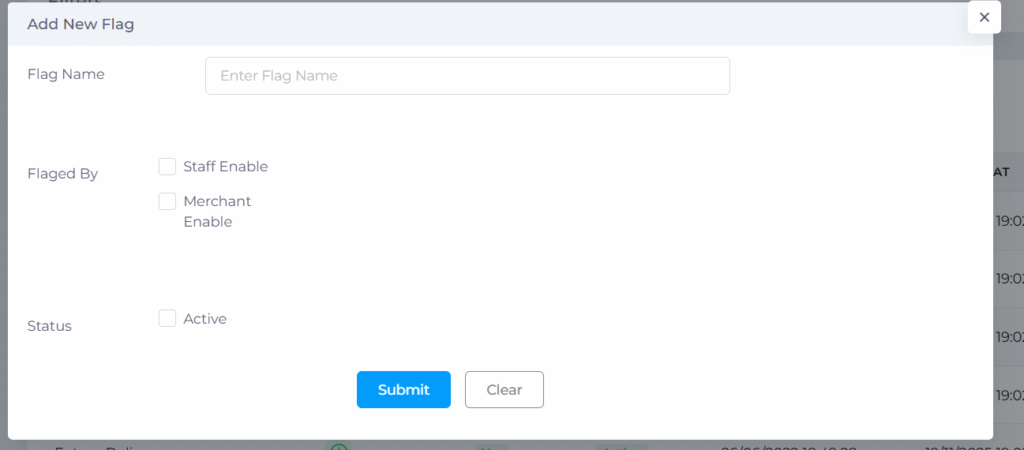
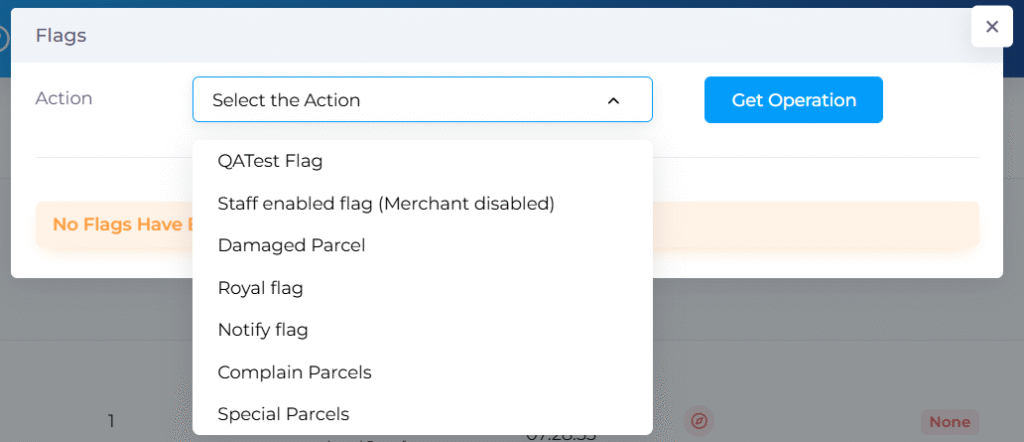
You are no longer limited to system-defined flags. Create your own custom flags to match your operational requirementsβ€”such as β€œSpecial Parcel,” β€œDamaged Item,” β€œHigh Priority,” or any other category that supports your workflows.

πŸ”„ Works Independently of Status Flow #

Flags function separately from the parcel’s delivery status. You can apply or remove flags at any point without affecting the shipment’s current tracking status.


✨ Enhanced Control & Visibility #

🟒 Activate or Deactivate Flags Anytime #

Easily control which flags are active in the system. Inactive flags will not appear for users, keeping the interface clean and relevant.

πŸ” Role-Based Access (Staff / Merchant) #

Control who can see or apply each flag.

  • Enable flags for Staff only, Merchants only, or both.
    This helps maintain internal workflows, prevent confusion, and ensure sensitive flags remain visible only to authorized users.

πŸ“Š Better Parcel Tracking & Reporting #

πŸ•’ Flag History Timeline #

A Flag History tab is also available inside each order. It shows:

  • Every applied flag
  • The user who performed the action
  • The exact timestamp

This improves transparency and auditability across your operations.

πŸ” Advanced Order Filtering #

The All Orders page includes an Order Flags filter. Quickly locate parcels marked with specific flags to speed up decision-making and operational handling.


βš™οΈ How It Works #

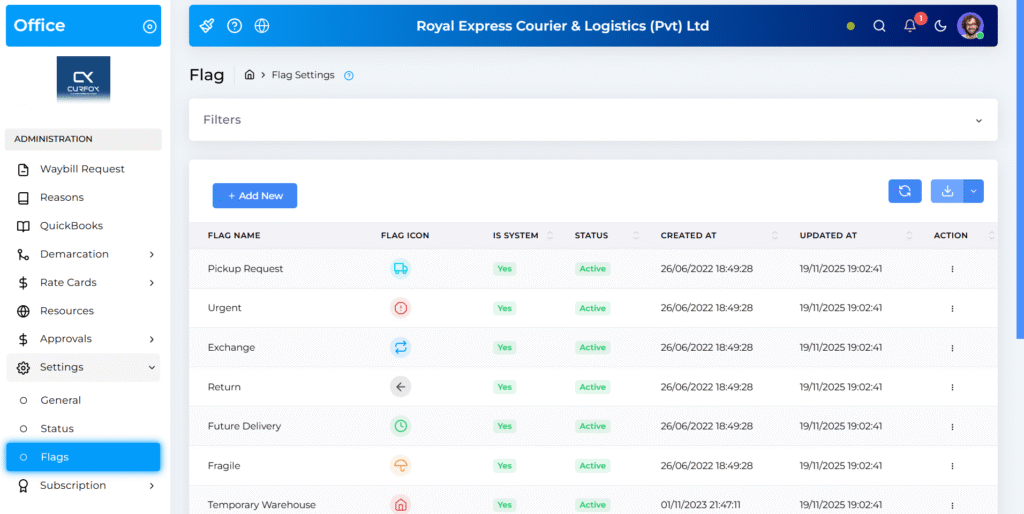
  1. Create a Flag
    Go to Settings β†’ Flags and add a new flag.
  2. Set Permissions
    Choose whether the flag is available to Staff, Merchants, or both.
  3. Activate the Flag
    Toggle the flag to Active to make it usable.
  4. Apply to Parcels
    Authorized users can now assign the flag to any parcel as needed.
🎯 Why This Matters #

This new feature brings more customization, clarity, and efficiency to parcel management. Whether you want to highlight internal processes, identify special cases, or streamline communication across teams, Customizable Flag Settings gives you the flexibility to manage your logistics your way.

Updated on November 20, 2025

What are your Feelings

  • Happy
  • Normal
  • Sad

Share This Article :

  • Facebook
  • X
  • LinkedIn
  • Pinterest
Release Note V3.38.0.6πŸš€New Status for Status Flow “Verify Failed to Deliver”

Powered by BetterDocs

Leave a Reply Cancel reply

Your email address will not be published. Required fields are marked *

Table of Contents
  • What’s New
    • πŸ”§ User-Definable Custom Flags
    • πŸ”„ Works Independently of Status Flow
  • ✨ Enhanced Control & Visibility
    • 🟒 Activate or Deactivate Flags Anytime
    • πŸ” Role-Based Access (Staff / Merchant)
  • πŸ“Š Better Parcel Tracking & Reporting
    • πŸ•’ Flag History Timeline
    • πŸ” Advanced Order Filtering
  • βš™οΈ How It Works
  • 🎯 Why This Matters

Β© 2025 Curfox Docs - All Rights Reserved Parallax Technologies