New Features #
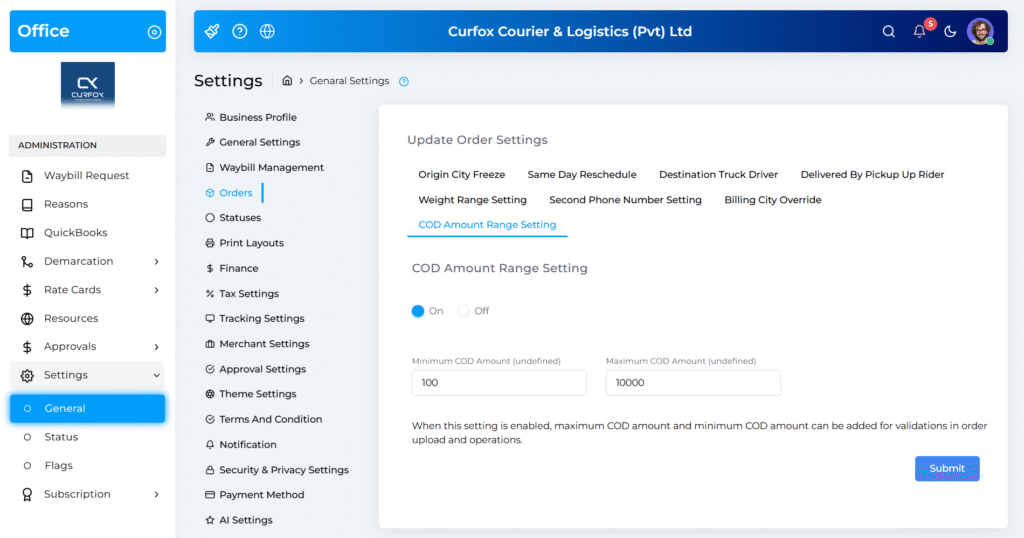
Configurable COD Amount Range Settings #
Merchants and Admins can now manage COD limits without support involvement.
You can now:
- 🔘 Enable/Disable COD amount limits
- ✏️ Set Minimum & Maximum COD values (e.g., 100–10,000)
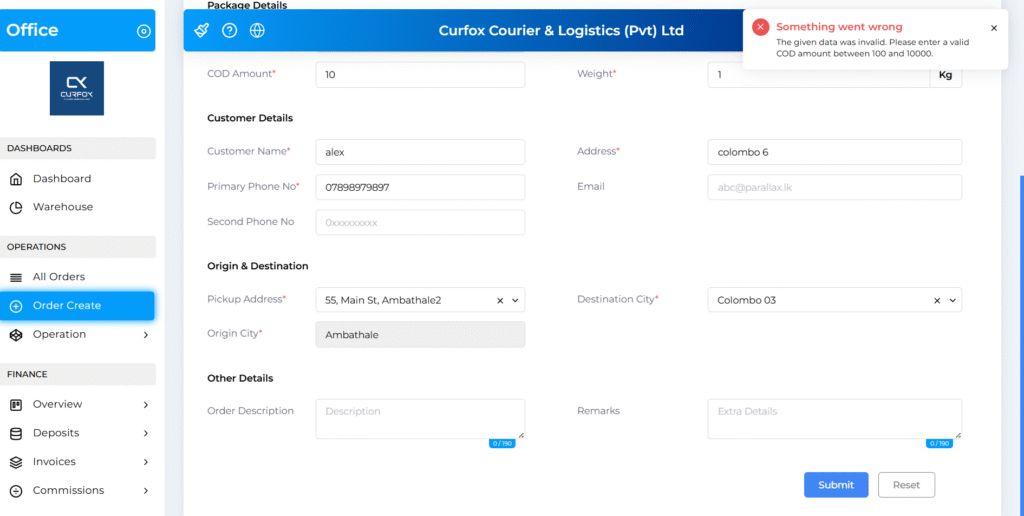
The system will block order creation if the COD amount is outside the allowed range.
📍 Location:
Settings → General → Orders → COD Amount Range Setting
Improvements #
Visual Indicators for Delivery Attempts #
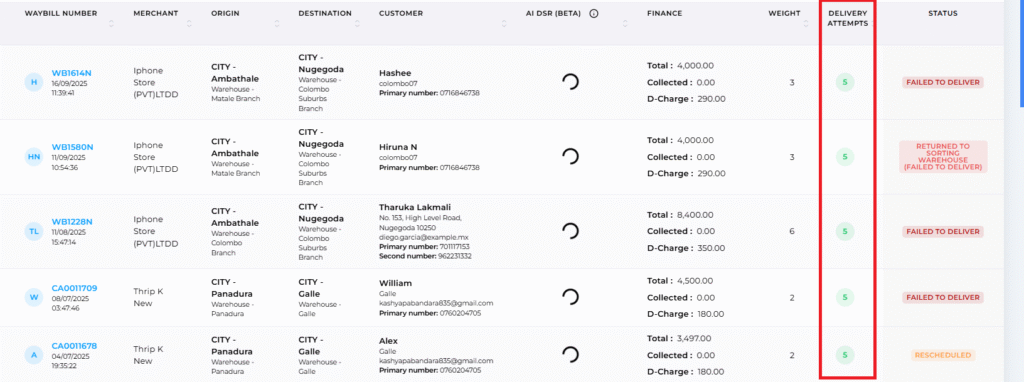
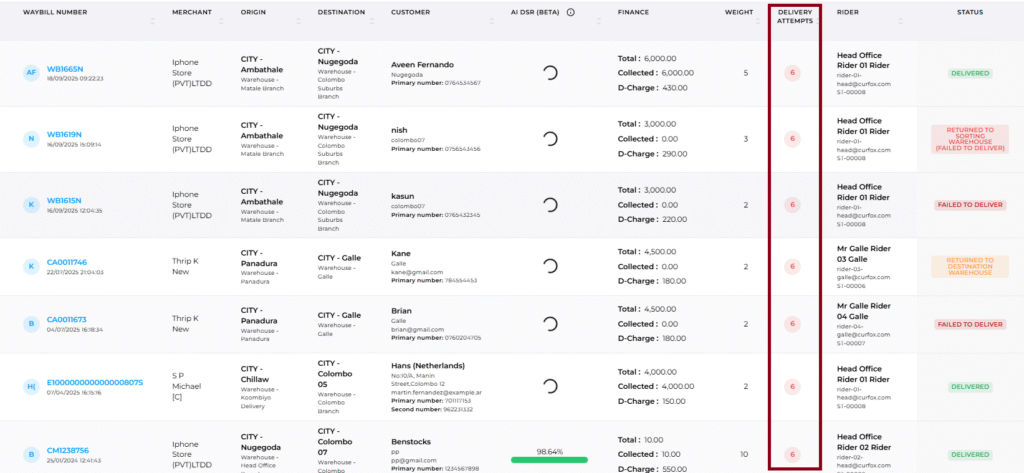
Quickly identify orders needing attention with our new color-coded benchmark:
- 🟩 Green — Orders with 5 or fewer delivery attempts
- 🟥 Red — Orders with more than 5 delivery attempts
📍 Location:
All Orders Dashboard → Delivery Attempts column
Row Numbering in Delivery Rider Reports #
A new Row Number column has been added to the Excel export of:
Assigned Orders → Reports → Delivery Rider
This helps riders easily match physical parcels with the printed manifest.
Perfect for quick reconciliation. ✔️

Enhanced UI for Order Statuses #
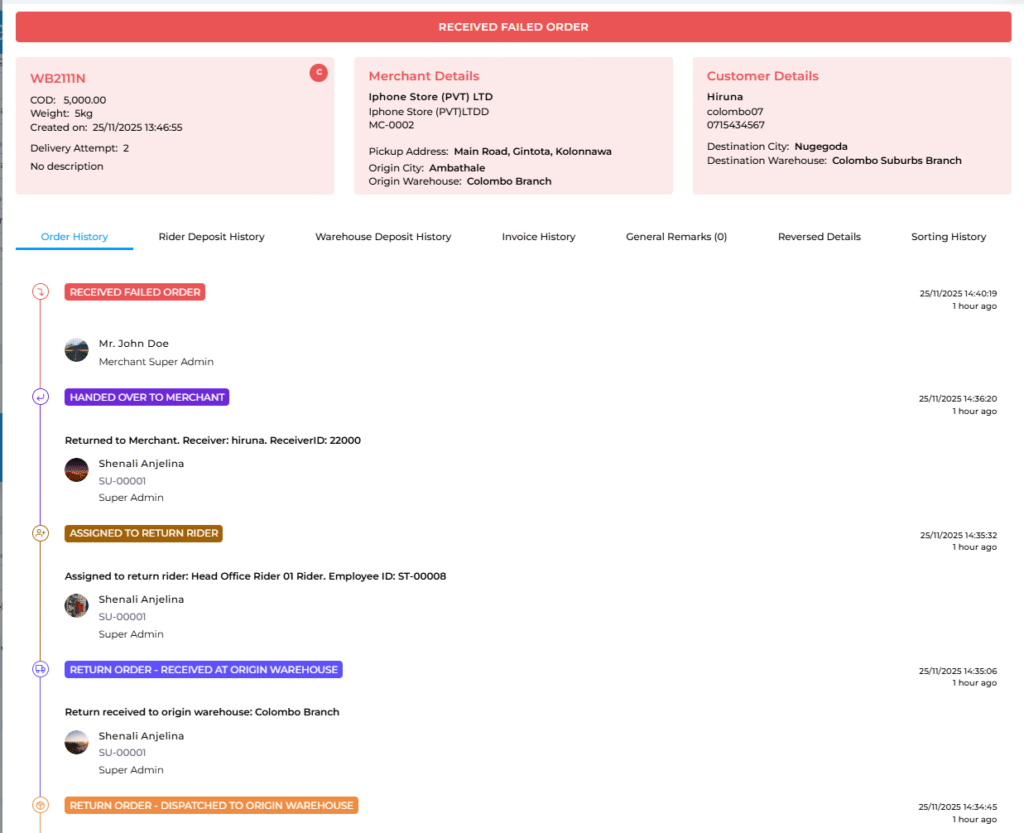
We’ve refreshed the order status visuals with:
- 🌈 More vibrant, distinct status colors
- 🧭 Improved tracking history timeline in the View Order Details modal
- 📌 Better readability and faster status recognition
Your operations team will love the clarity!
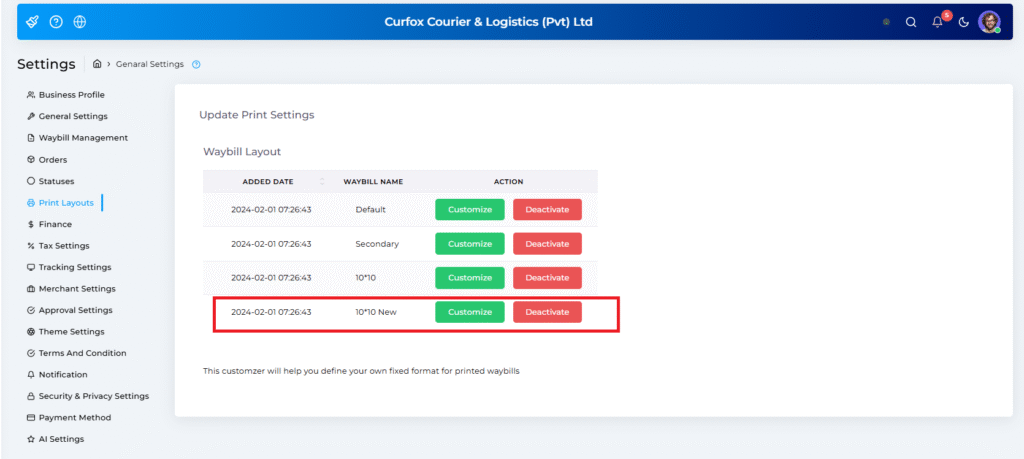
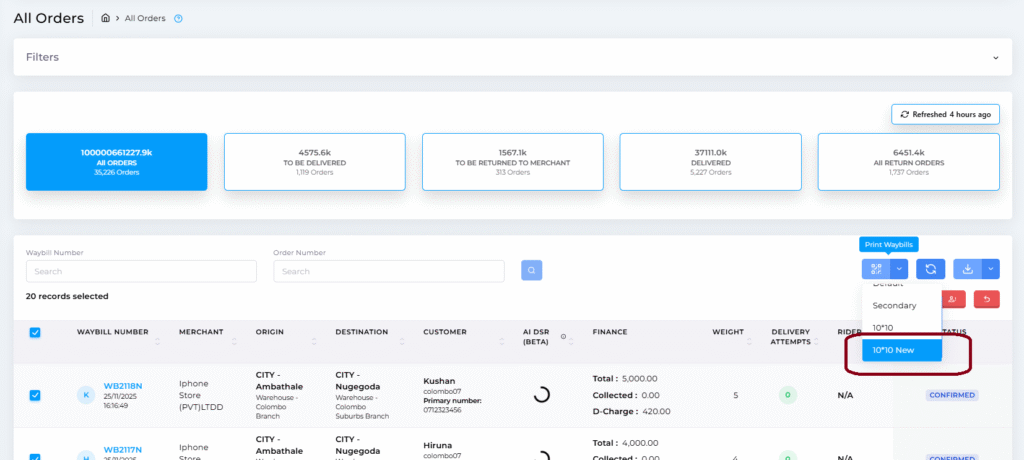
New 10×10 Waybill Print Layout #
Introducing the new “10×10 New” print template:
- 🧩 Center-aligned modern design
- 🎯 Improved printer alignment
- 🔄 Available for both Staff and Merchant portals
📍 Location:
Settings → General → Print Layouts