Skip to content

Curfox Docs

Curfox Docs

Back to Web

🚀Geofencing Module

Home🚀Geofencing Module

RELEASE NOTES

41
  • Pre Release Note V3.33.0
  • Release Note V3.32.0
  • Release Note V3.31.0
  • Release Note V3.30.0
  • Release Note V3.29.0
  • Release Note V3.28.0
  • Release Note V3.27.0
  • Release Note V3.26.0
  • Release Note V3.25.0
  • Release Note V3.24.0
  • LOGIN AND START THE JOURNEY WITH CURFOX
  • Introduction to Curfox
  • What Intricate Ecosystems Thrive Along the Banks of Rivers?
  • 🚀 New Feature Release: Billing City Override Setting
  • 🚀 Enhanced SMS Notifications for Rescheduled Deliveries
  • 🚀Bypass ‘Dispatch from Origin Warehouse’ Status for Invalid Destination Cases
  • 🚀Sorting History for Enhanced Tracking
  • 🚀Enhanced SMS Provider Configuration
  • 🚀Rate Card Approval Option – Phase 1
  • 🚀Warehouse Sorting Device Management
  • 🚀WhatsApp Messaging Integration
  • 🚀Proof Upload Feature
  • 🚀Filter Saving Option
  • Pre Release Note – V3.38.0.14
  • 🚀 Pre Release Note – V3.38.11
  • Pre Release Note V3.38.0.13
  • 🚀 Release Note : Add Redelivery Flag for Failed to Deliver
  • Release Note : New Curfox Rider App
  • Release Note 3.38.0.12
  • Release Note – 3.38.10
  • Release Note 3.38.0.10
  • 📌 Release Note: Redelivery Flag for Verify Failed to Deliver
  • Release 3.38.07
  • Release 3.38.08
  • đźšš Release Note: New Dispatch Reporting Module
  • Release Note V3.38.0.6
  • 🚀 Flag Management Feature
  • 🚀New Status for Status Flow “Verify Failed to Deliver”
  • 🚀 Image Scan Upload
  • 🚀Geofencing Module
  • Release Note V3.38.6

RIDER APP

2
  • User Guide
  • Release Note : New Curfox Rider App

LOCAL RELEASE NOTES

8
  • Pre Release Note – V3.38.0.14
  • Pre Release Note V3.38.0.13
  • 🚀 Release Note : Add Redelivery Flag for Failed to Deliver
  • Release Note : New Curfox Rider App
  • Release Note 3.38.0.12
  • 📌 Release Note: Redelivery Flag for Verify Failed to Deliver
  • Release Note 3.38.0.10
  • 🚀 Pre-Deposit Merchant Invoice Approval Process

INTERNATIONAL RELEASE NOTES

2
  • 🚀 Pre Release Note – V3.38.11
  • Release Note – 3.38.10

MERCHANT PORTAL

1
  • LOGIN AND START THE JOURNEY WITH CURFOX

STAFF PORTAL

1
  • LOGIN AND START THE JOURNEY WITH CURFOX

OVERVIEW

1
  • Introduction to Curfox

USER GUIDES

1
  • 📚User Guide: WhatsApp Message API Setup
View Categories
  • Home
  • Docs
  • RELEASE NOTES
  • 🚀Geofencing Module

🚀Geofencing Module

2 min read

We’re thrilled to introduce the new Geofencing module — a powerful addition to CURFOX designed to streamline order creation and enhance delivery accuracy.

This innovative tool allows merchants to define delivery zones using KML files, automating city selection and ensuring every order is assigned to the correct destination from the very beginning.


🌍 Overview #

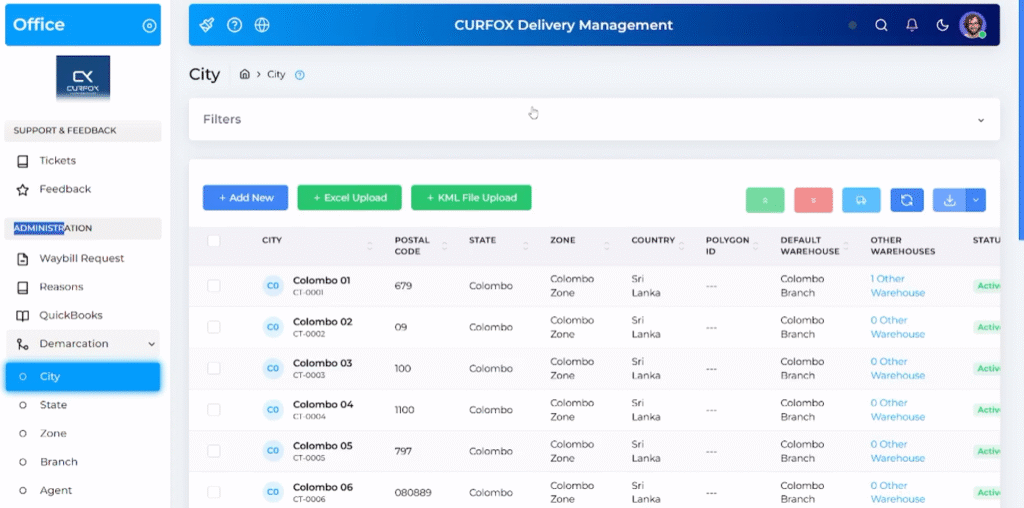
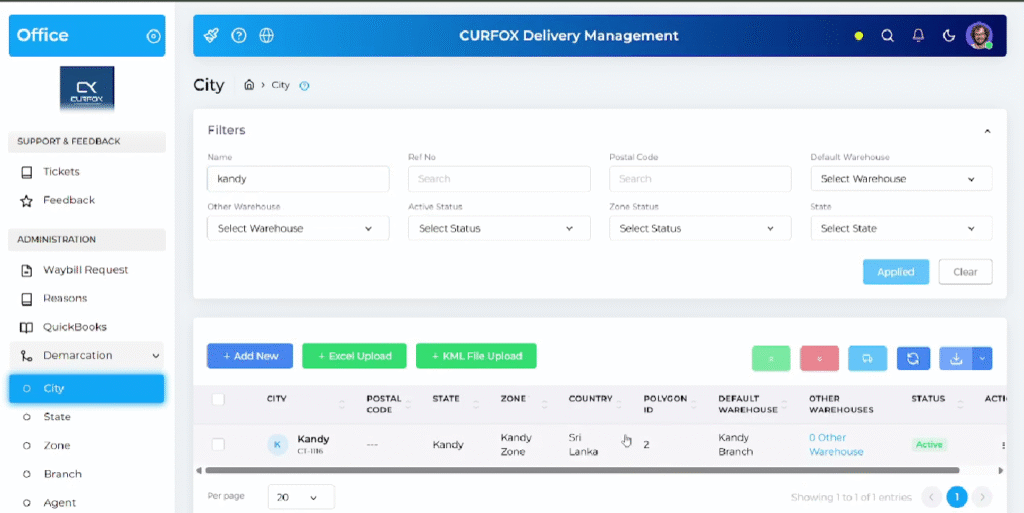
The Geofencing module adds a “KML File Upload” option within the City settings under Administration → Demarcation → City.
Businesses can now upload KML files that contain predefined geographical polygons representing their delivery zones. Each polygon is automatically matched with the corresponding city in the CURFOX system.

This feature marks the first step towards our broader goal of route optimization—helping merchants save time and reduce errors during order creation.


🔑 Key Features #

🗺️ KML File Upload for Custom Delivery Zones #

Merchants can upload KML files to define their exact service boundaries, perfect for businesses with specific geographic delivery areas.

📍 Automatic City Detection #

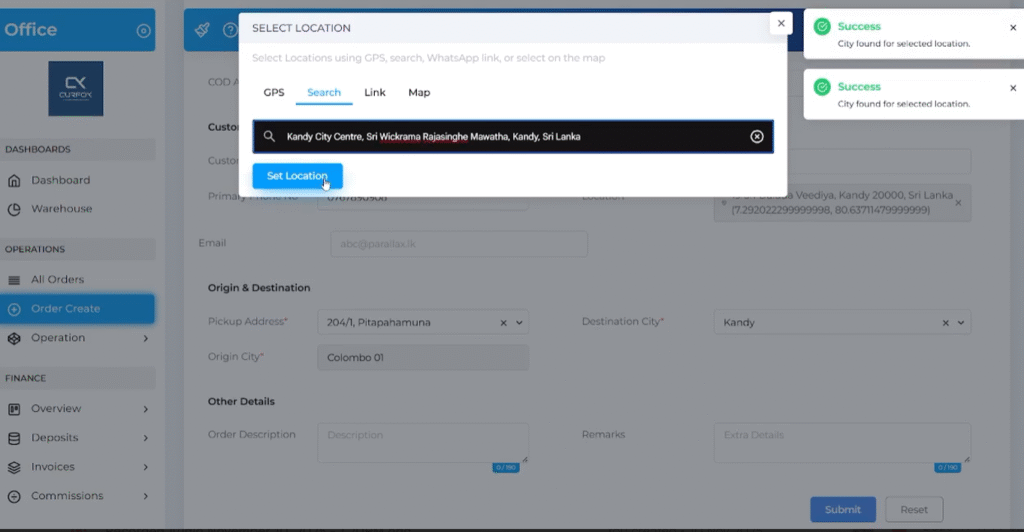
When creating new orders, the system automatically detects the destination city based on the customer’s coordinates.
The “Destination City” field is filled automatically by matching the location against predefined polygons—removing the need for manual selection.

âś… Improved Accuracy #

Automated city detection reduces human error and ensures packages are routed correctly from the start.

⚡ Instant Polygon Matching #

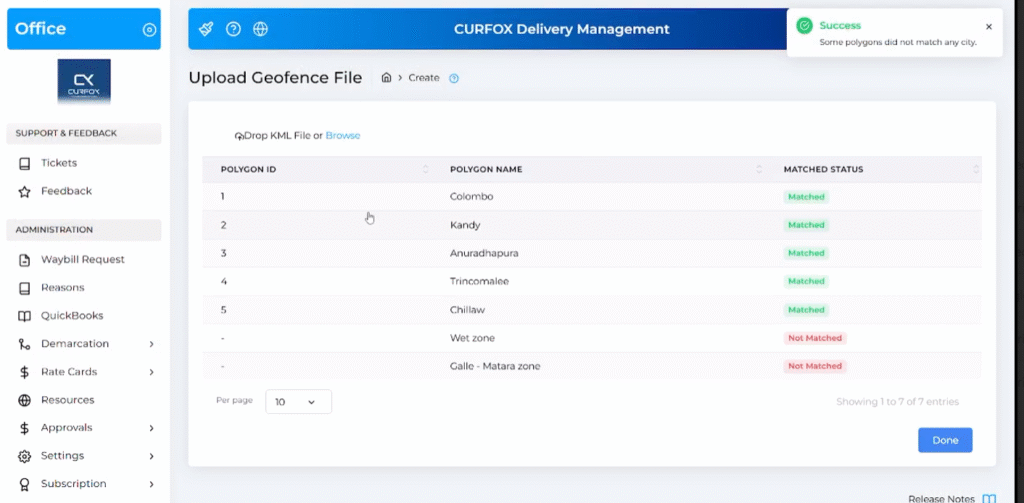
After uploading, users can instantly see which polygons are successfully matched with cities in the system and which need adjustments, ensuring quick setup.


đź”§ How It Works #

  1. Navigate to Administration → Demarcation → City.
  2. Click KML File Upload and select your KML file.
  3. Review the matched and unmatched polygons.
  4. Click Done to complete the setup.

Once uploaded, CURFOX will automatically detect and assign the destination city for new orders.
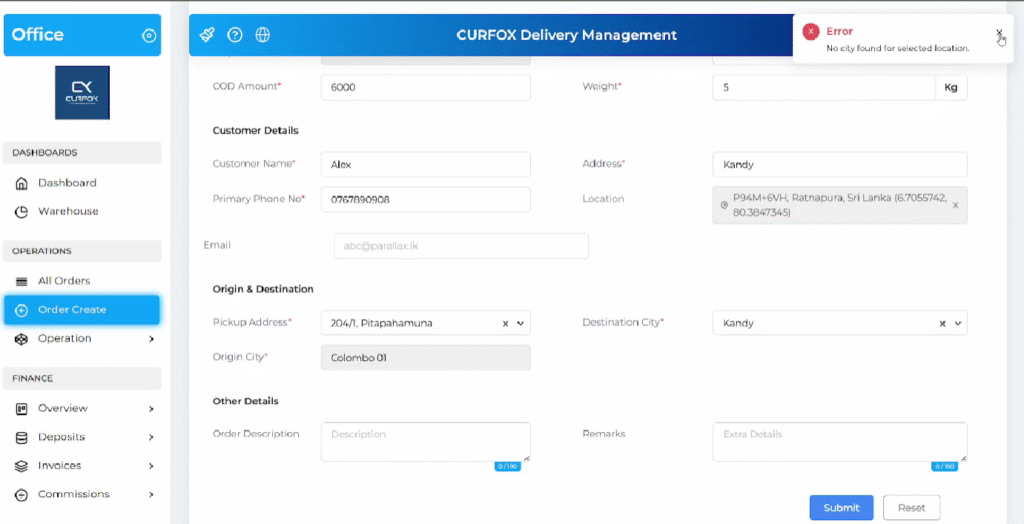
If a delivery location falls outside the defined zones, users will be prompted to manually select a city.
đź’ˇ Availability #

The Geofencing functionality is available for:

  • Single order creation
  • Bulk order uploads
  • Excel imports
  • Order creation via API

đźš› Benefits #

  • Saves time by automating city assignment.
  • Reduces manual data entry errors.
  • Enables better delivery routing accuracy.
  • Lays the foundation for future route optimization features.

đź”” Conclusion #

This release reflects CURFOX’s ongoing commitment to providing cutting-edge logistics solutions that help businesses optimize delivery operations, reduce inefficiencies, and boost overall performance.

Stay tuned for the next phase — automated route optimization, powered by CURFOX.

Updated on November 11, 2025

What are your Feelings

  • Happy
  • Normal
  • Sad

Share This Article :

  • Facebook
  • X
  • LinkedIn
  • Pinterest
🚀 Image Scan Upload

Powered by BetterDocs

Leave a Reply Cancel reply

Your email address will not be published. Required fields are marked *

Table of Contents
  • 🌍 Overview
  • 🔑 Key Features
    • 🗺️ KML File Upload for Custom Delivery Zones
    • 📍 Automatic City Detection
    • âś… Improved Accuracy
    • ⚡ Instant Polygon Matching
  • đź”§ How It Works
  • đź’ˇ Availability
  • đźš› Benefits
  • đź”” Conclusion

© 2025 Curfox Docs - All Rights Reserved Parallax Technologies