New Feature #
1. Auto Order Cancellation System #
We have implemented a configurable automation feature to maintain database hygiene by cancelling stale orders.
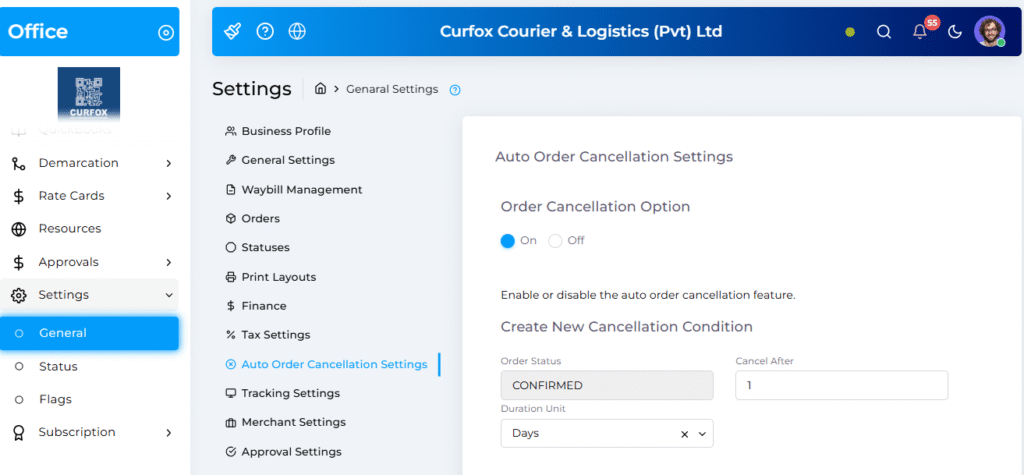
- Functionality: The system automatically transitions orders from a specific status (default: Confirmed) to Cancelled if they remain unchanged for a set duration (e.g., 7 days).
- Customizable Settings: Admins can configure:
- Toggle: Enable or disable the entire feature.
- Target Status: Choose which status triggers the timer (e.g., Confirmed).
- Duration: Set the exact number of Days, Months, or Years before cancellation occurs.
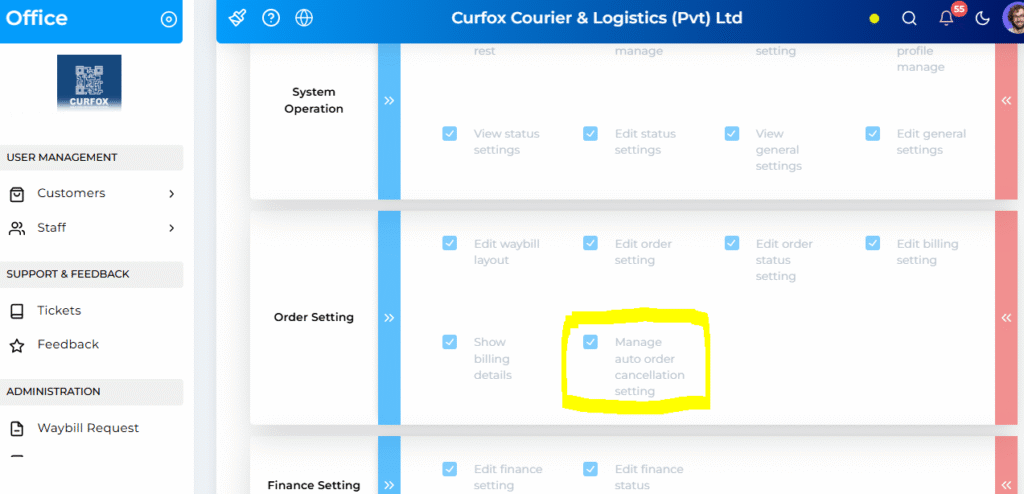
- Role-Based Access Control (RBAC): By default, only Super Admins can view and edit these settings. Access can be granted to other roles (e.g., Operations Managers) via the User Roles > Settings permissions > “Manage Auto Order Cancellation Setting” checkbox.
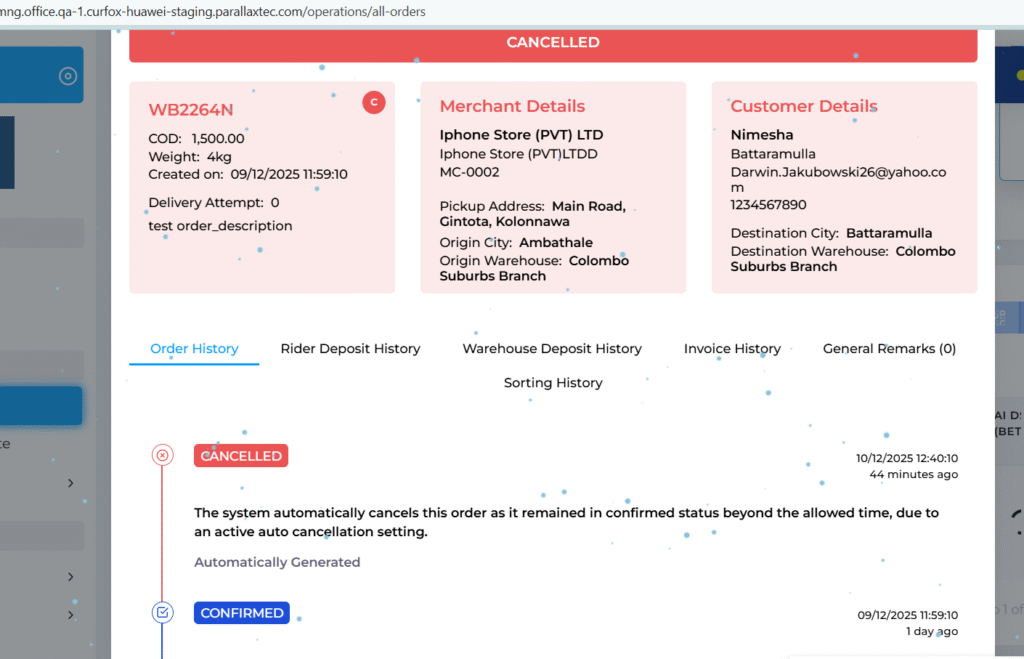
- Audit Trail: When an order is auto-cancelled, the Order History will display a system-generated log stating: “The system automatically cancelled this order as it remained in confirmed status beyond the allowed time.”
2.Webhook Integration
This major enhancement seamlessly connects our logistics platform with external merchant systems. This upgrade enables merchants to receive instant, automated notifications about order status updates—directly to their own platforms—without needing to log in to the Merchant Portal.
🔑 Key Features & Capabilities #
Staff Portal Controls #
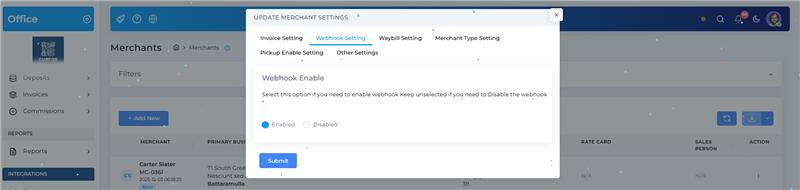
👥 Manage Merchant Access with Precision
- Enable or Disable Webhooks per Merchant
Located at:
Staff Portal → Merchants → Settings → Manage Merchant Settings - Default State: OFF (ensures safety and prevents unintended data exposure).
- Staff can manage webhook permissions based on merchant requirements.
Merchant Portal Enhancements #
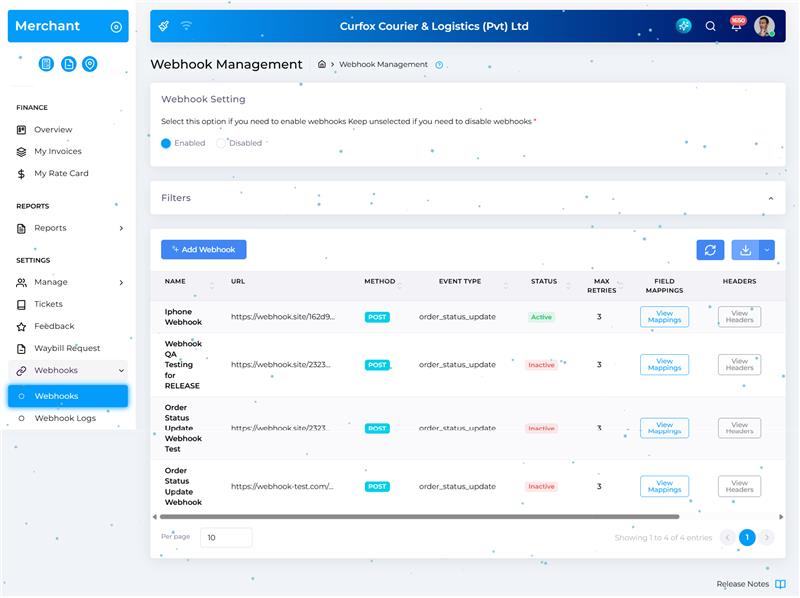
📁 New “Webhooks” Section #
Found under:
Merchant Portal → Settings → Webhooks & Webhook Logs
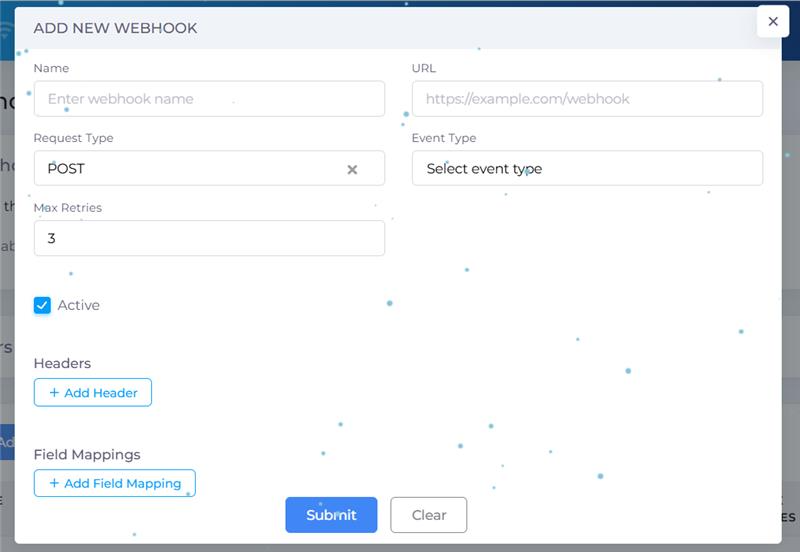
🛠️ Create & Manage Custom Webhooks #
Merchants can configure multiple webhook endpoints with:
- Name – A clear, custom label for the webhook.
- URL – Destination endpoint on the merchant’s server.
- Request Type – Supports
POST,GET,PUT, andPATCH. - Event Type – Currently supports:
✔️ Order Status Update - Max Retries – Auto-retry failed deliveries (Default: 3 attempts).
- Custom Headers – Add headers such as API keys, tenant identifiers, and authorization tokens.
- Advanced Field Mapping
Merchants can map internal fields (Waybill Number, Status Key, Status Name, etc.) to match their own database structure.
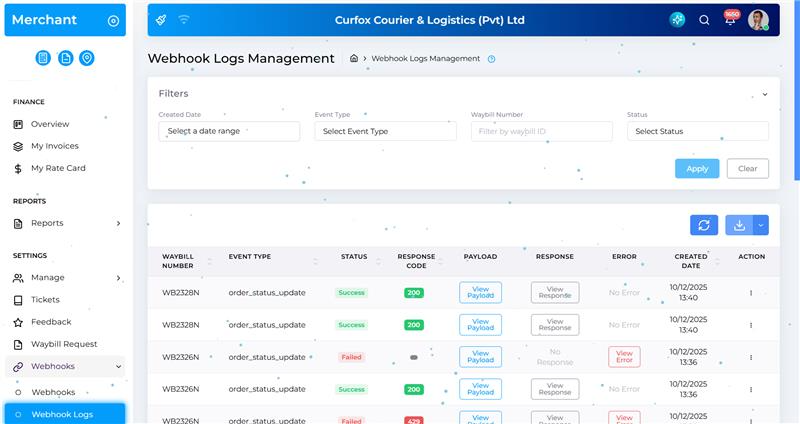
🧠 Comprehensive Webhook Logs #
Merchants now get full visibility into their integration behavior:
- Success / Failure Indicators
- HTTP Response Codes (e.g., 200, 400, 404, 500)
- Retry Count & Final Result
- Request Payload Viewer – Inspect exactly what data was sent.
- Response Inspector – View raw server responses for debugging.
This empowers technical teams to quickly diagnose issues without contacting support.
⚙️ How It Works #
- Configuration
Merchant or Staff defines webhook URL, headers, event type, and field mappings. - Trigger Event
An operational user updates an order status
e.g., “Received at Sorting Warehouse.” - Automated Delivery
The system immediately sends a webhook request containing mapped fields such as:- Waybill Number
- Status Name
- Status Key
- Updated At Time
- Merchant Reference No.
- Logging
Every attempt—successful or failed—is recorded in the Webhook Logs for audit and troubleshooting.
🎯 Benefits #
- Real-Time Data Sync between our platform and merchant systems
- Zero Manual Effort for merchants to track order events
- Improved Transparency with full webhook logs
- Better Automation for order fulfillment, cancellation, inventory updates, and customer notifications
Improvements #
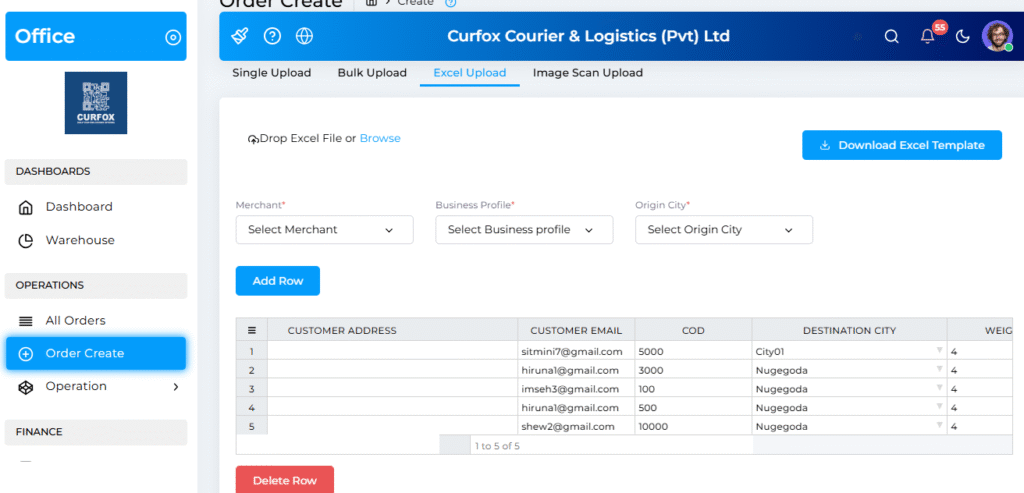
1. 📊 Enhanced Excel Upload Error Handling (FE) #
We have improved the stability of the Bulk Order Create feature to prevent frontend crashes during data import.
- The Issue: Previously, if an uploaded Excel sheet contained an empty, missing, or invalid value in the “Destination City” column, the upload interface would fail to render the data table correctly or cause a system error.
- The Fix: The Frontend (FE) now includes robust error handling for the Destination City field. If the system encounters missing city data during the upload, it will handle the exception gracefully, allowing the rest of the file to be processed or displaying the appropriate validation state without breaking the UI
Improvements #
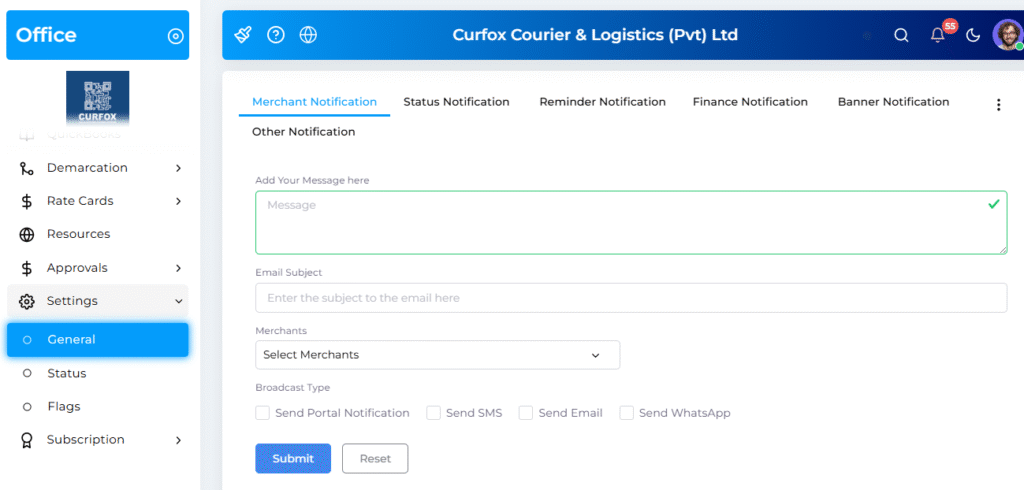
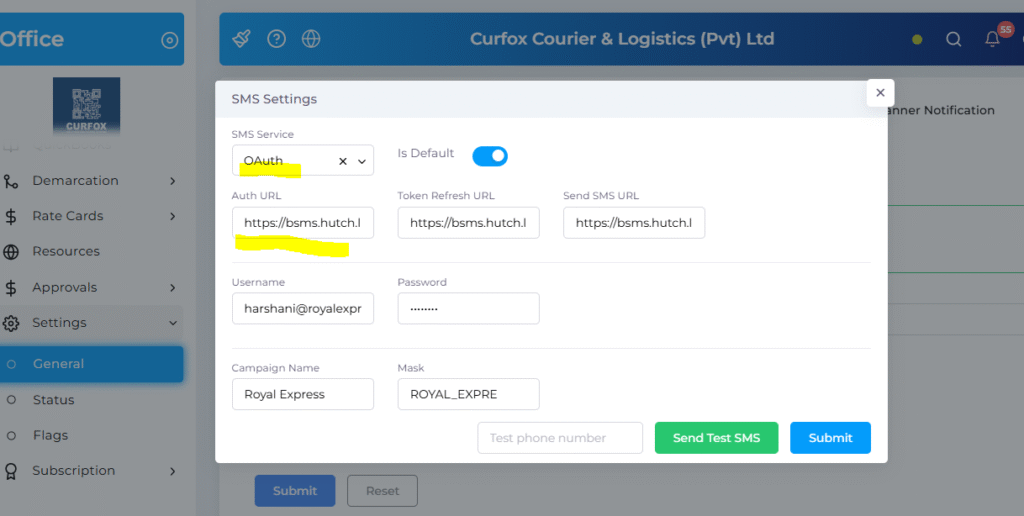
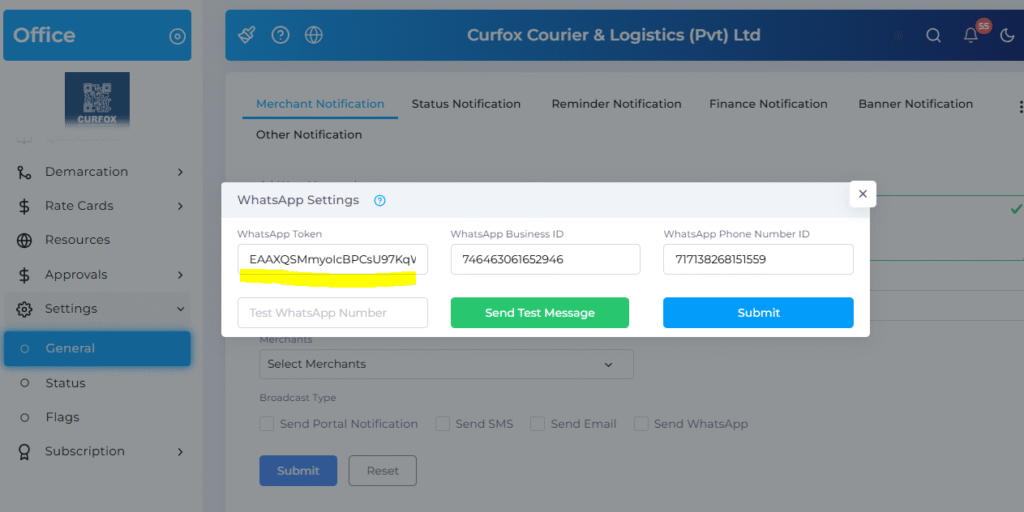
2. If SMS, Email Or WhatsApp configuration is not set up, the UI should disable those options for sending notices. – Phase 2 #
To prevent delivery errors, the User Interface for sending notifications is now context-aware based on the system’s backend configuration.
- Smart Visibility: The checkboxes for Send Email, Send SMS, and Send WhatsApp will now automatically hide or disable if the underlying configuration is missing.
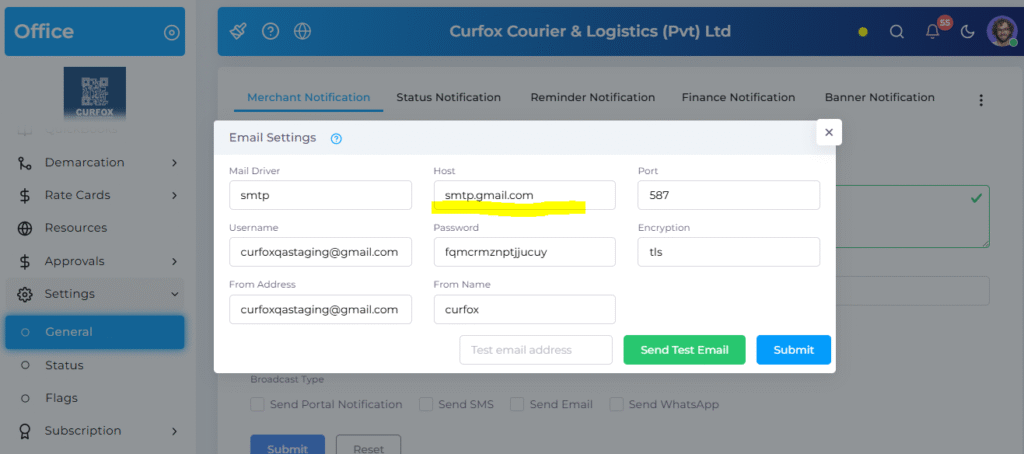
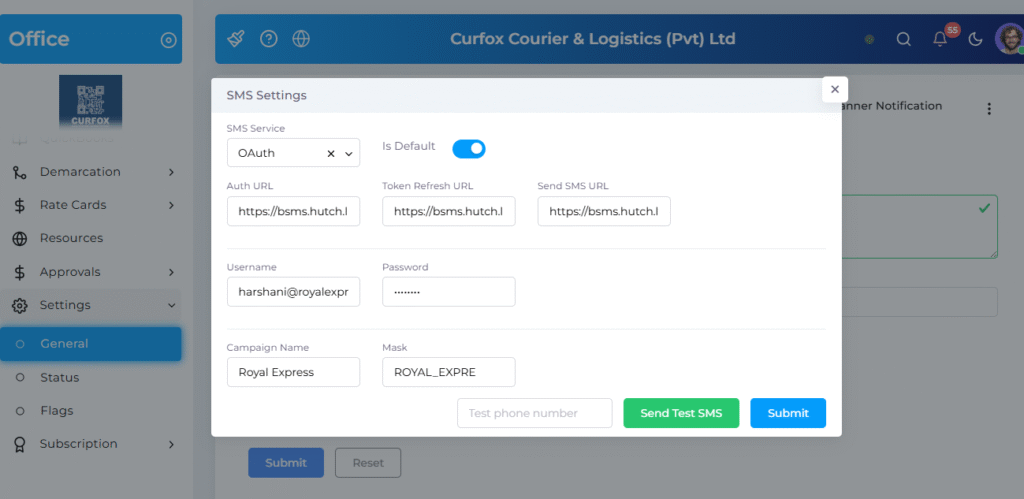
- Logic Breakdown:
- 📧 Email: The “Send Email” option is hidden if the SMTP Host settings are not configured in the General Settings.
- 💬 SMS: The “Send SMS” option is hidden if the SMS Gateway URL/Host (for services like Dialog or Hutch) is not defined.
- 📱 WhatsApp: The “Send WhatsApp” option is hidden if the WhatsApp Token is missing.
- Benefit: This ensures that users cannot attempt to send notifications via channels that have not been properly set up by the administrator.
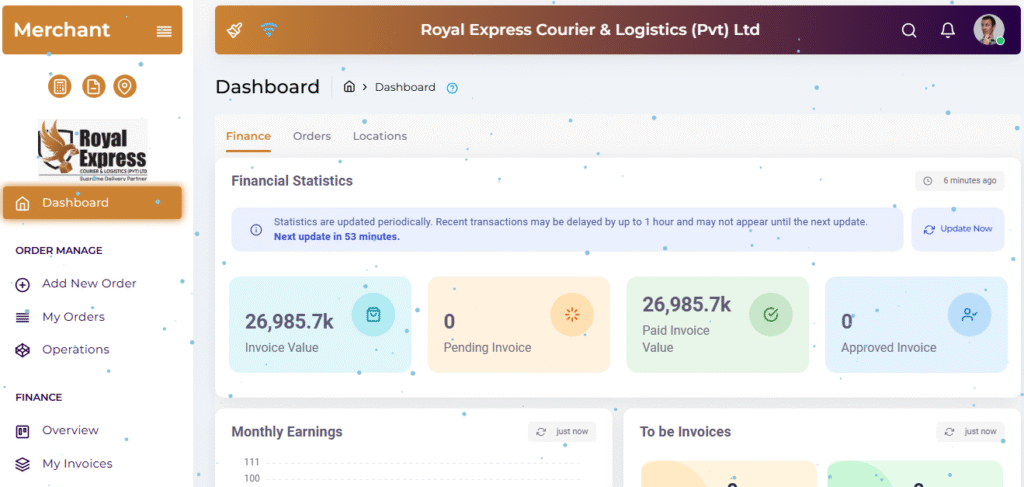
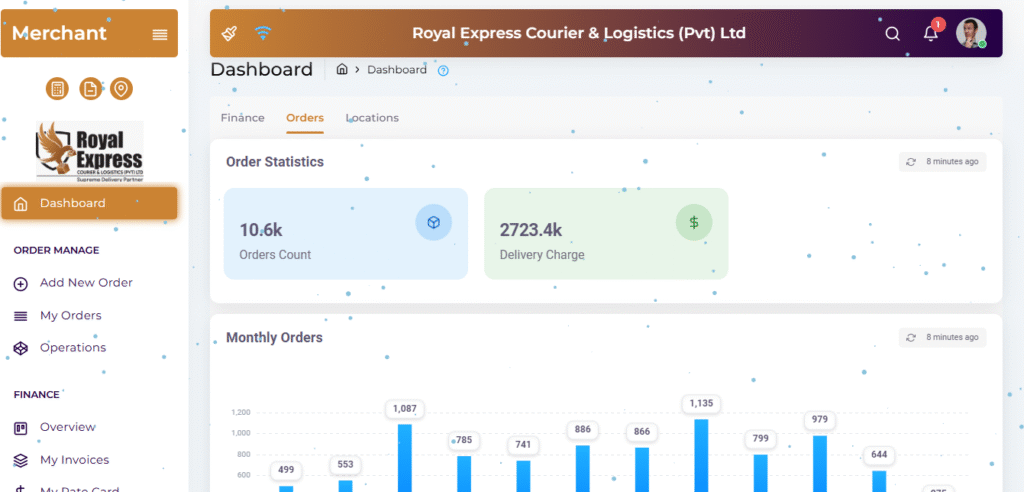
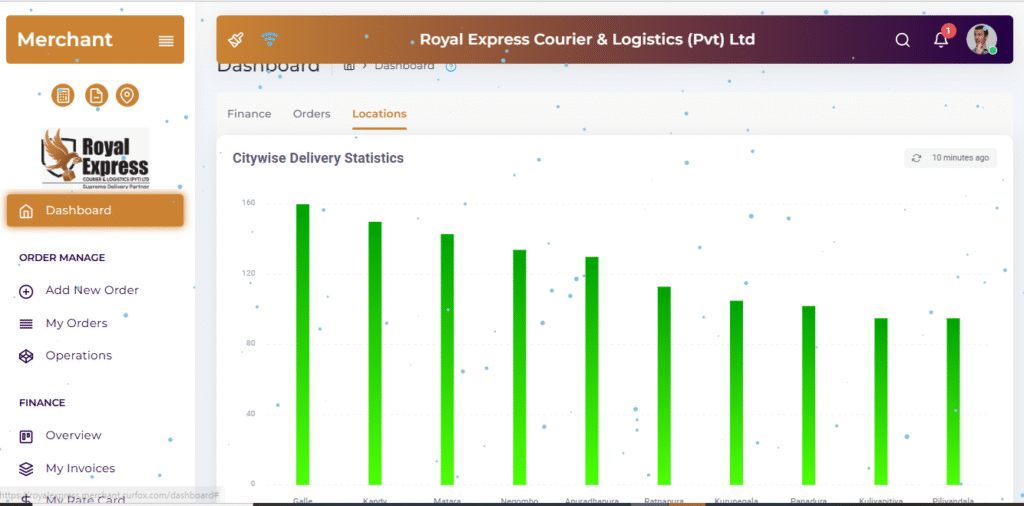
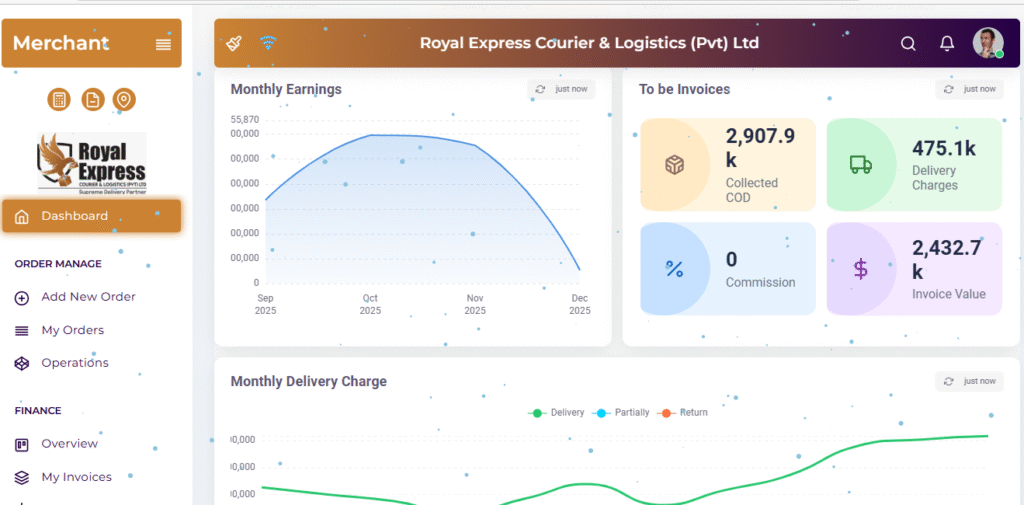
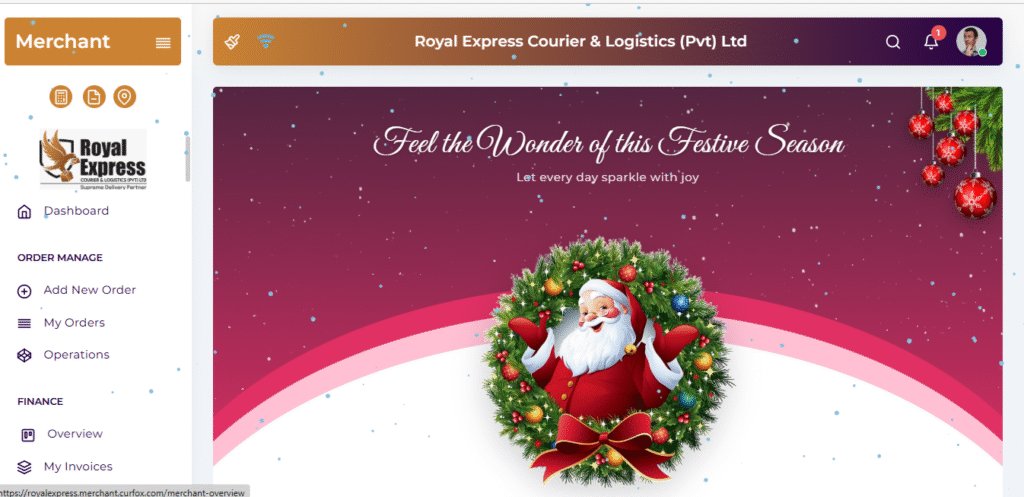
3.Updated UI for Merchant Dashboard and Christmas Land page
We have revamped the Merchant Dashboard with a modern, user-friendly design to improve performance and usability.
- Better Organization: The dashboard is now divided into three distinct sections: Orders, Finance, and Location.
- Improved Performance: The new layout helps data load faster and makes navigation easier.
- New Look: We have applied new component styles and colors for a fresher look and optimized functionality.