New Features #
Order Upload/ Merchant Registration Enhancements – New fields for geographic locations #
We’re thrilled to introduce a major upgrade to the Curfox Delivery Management System — the Enhanced Location Picking and Tracking feature.
This update brings greater precision, flexibility, and convenience to both order creation and merchant registration, now available in Staff and Merchant Portals.
🗺️ What’s New #
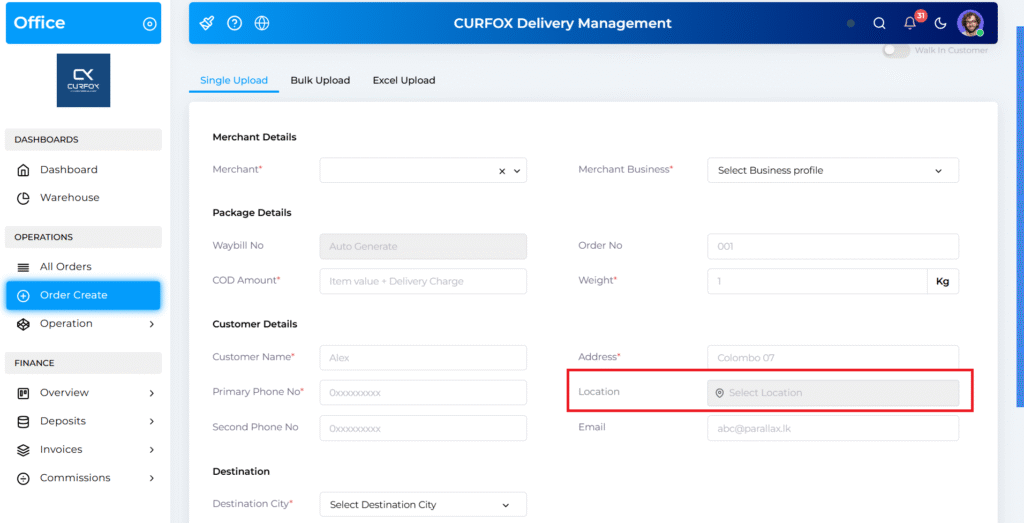
1. Precise Location Pinning for Orders #
When creating a new order, you’ll now find a “Location” field under the customer’s address.
This enables you to pinpoint the exact delivery point with improved accuracy, minimizing delivery errors and confusion.
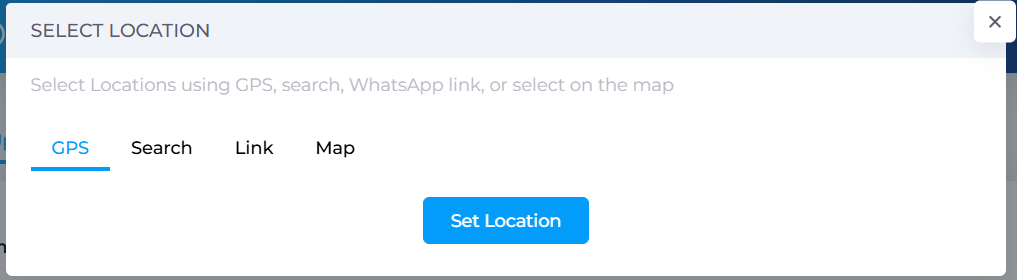
2. Flexible Location Selection Options #
You can now add a location in four convenient ways:
- 📍 GPS: Automatically detect your current location.
- 🔍 Search: Type an address and select from Google suggestions.
- 🔗 Link: Paste a shareable Google Maps link.
- 🗺️ Map: Manually pick a spot directly on the interactive map.
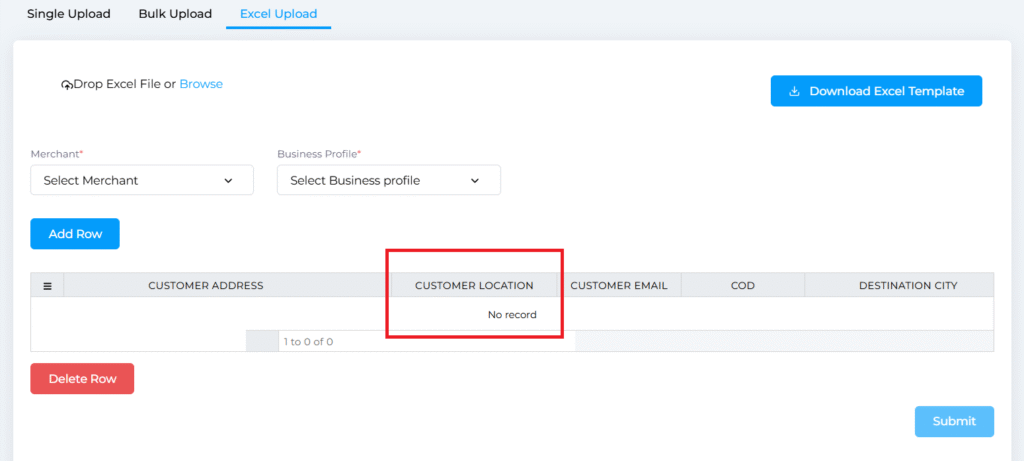
3. Streamlined Order Creation #
Location selection is now supported across all order creation methods, including:
- Single Order Creation
- Bulk Upload
- Excel Upload
- API Upload
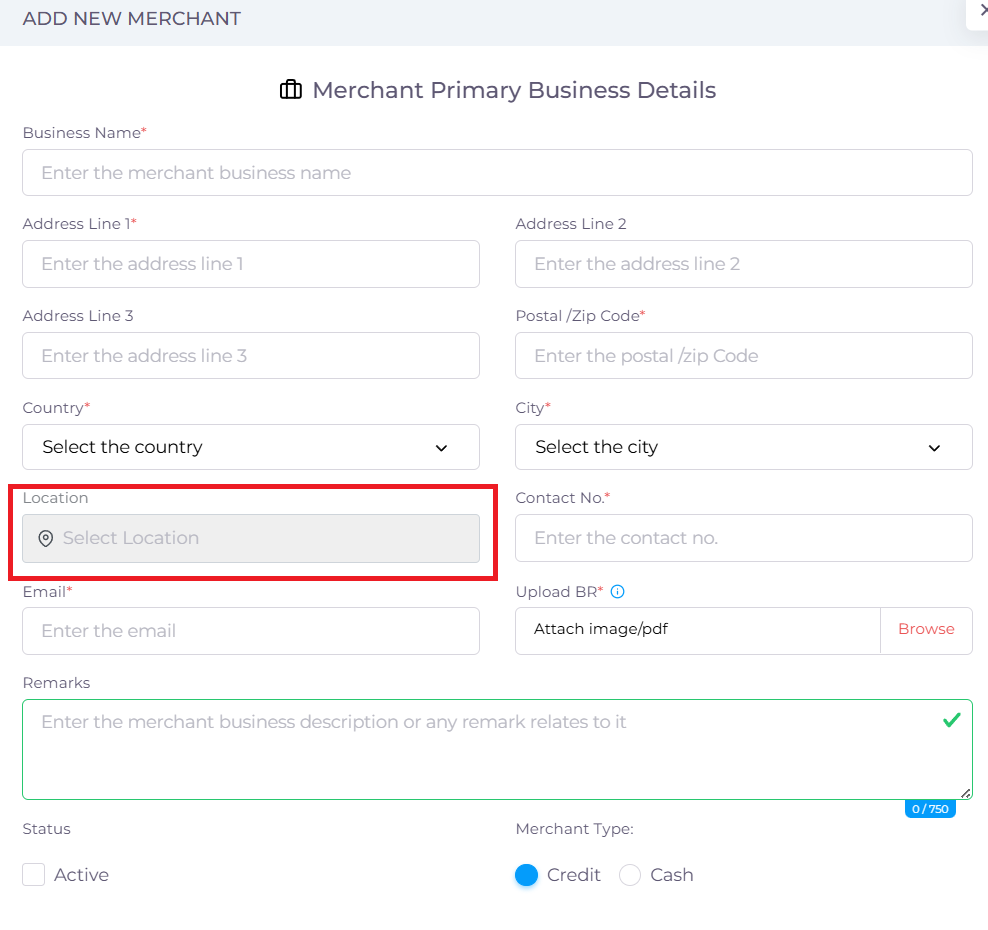
4. Accurate Merchant and Business Addresses #
The same location tracking feature has been integrated into Merchant Registration and Business Address Management, ensuring every address in the system is precise and validated.
#
🧭 Available In #
- Staff Portal – Order creation and address management
- Merchant Portal – Merchant registration and business address setup
Show Single Order Location in Rider App #
We’re thrilled to introduce a new Geolocation feature in the Curfox Rider App, designed to make your pickup and delivery process faster, smarter, and more accurate.
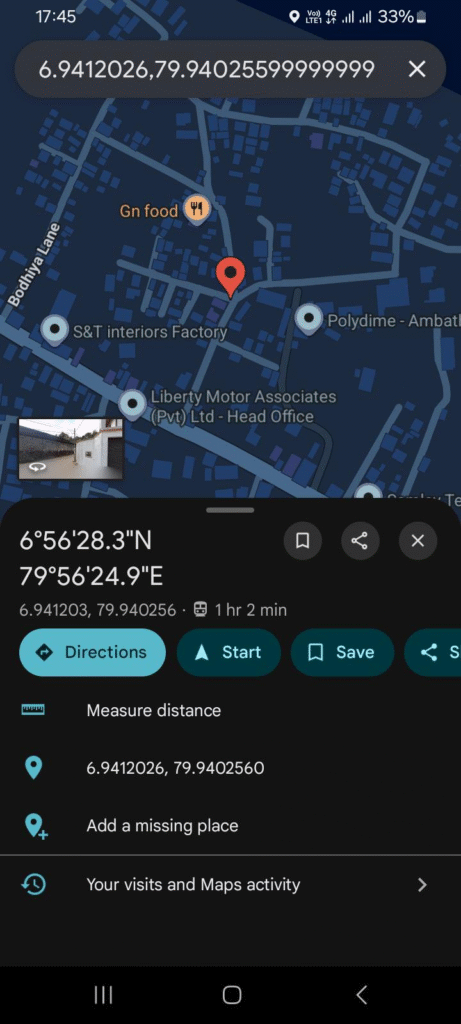
Now, you can view exact pickup and delivery locations directly on Google Maps with just one tap!
🌍 How It Works #
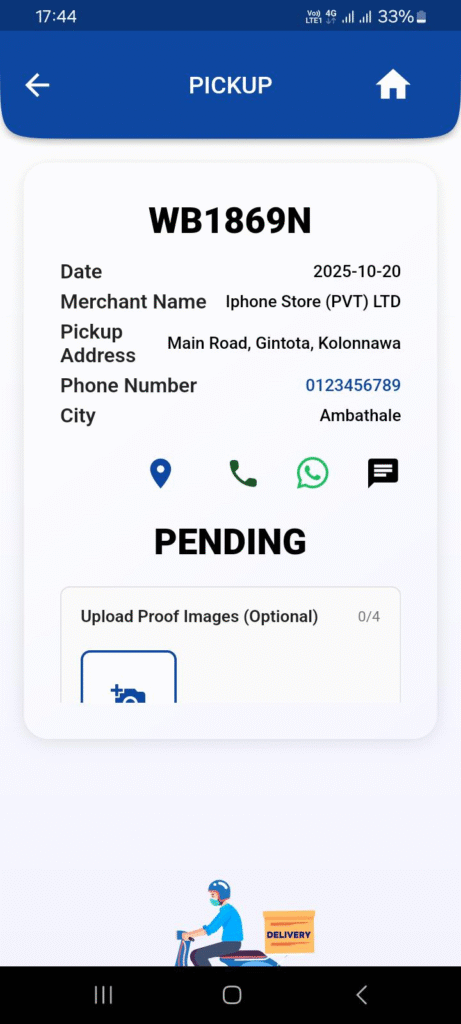
For Pending Pickups:
- Each pending pickup order now includes a map icon next to the merchant details.
- Tap the icon to open Google Maps, and you’ll be directed to the merchant’s exact location.
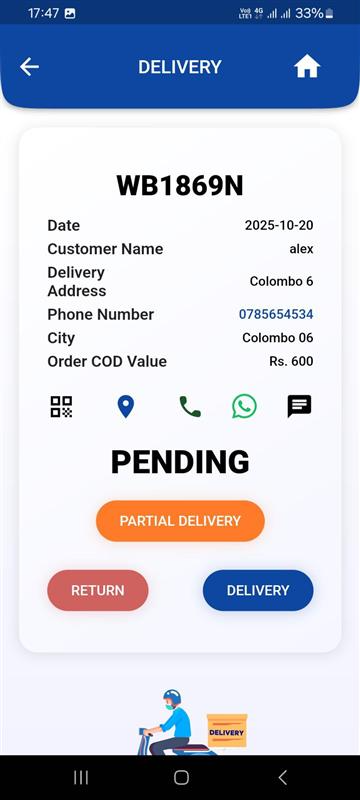
For Pending Deliveries:
- Similarly, for pending delivery orders, tap the map icon to see the customer’s delivery location instantly.
⚡ Key Benefits #
- Save Time: No more manual searching or address confusion — get turn-by-turn navigation instantly.
- Improve Accuracy: Navigate directly to the precise location to minimize delivery errors.
- Boost Efficiency: Plan routes better and complete deliveries more quickly.
🔔 Important Note #
- The map icon will appear only for orders that include a saved location.
- If a location wasn’t added during order creation or merchant registration, the map icon will not be visible.
Status Update Option inside the View Order Modal #
We’re thrilled to introduce a faster and more intuitive way to manage your orders — Quick Status Updates!
You can now update the status of a single order directly from its details window, eliminating extra steps and saving valuable time.
🔍 What’s New #
Previously, updating an order’s status often required using bulk actions.
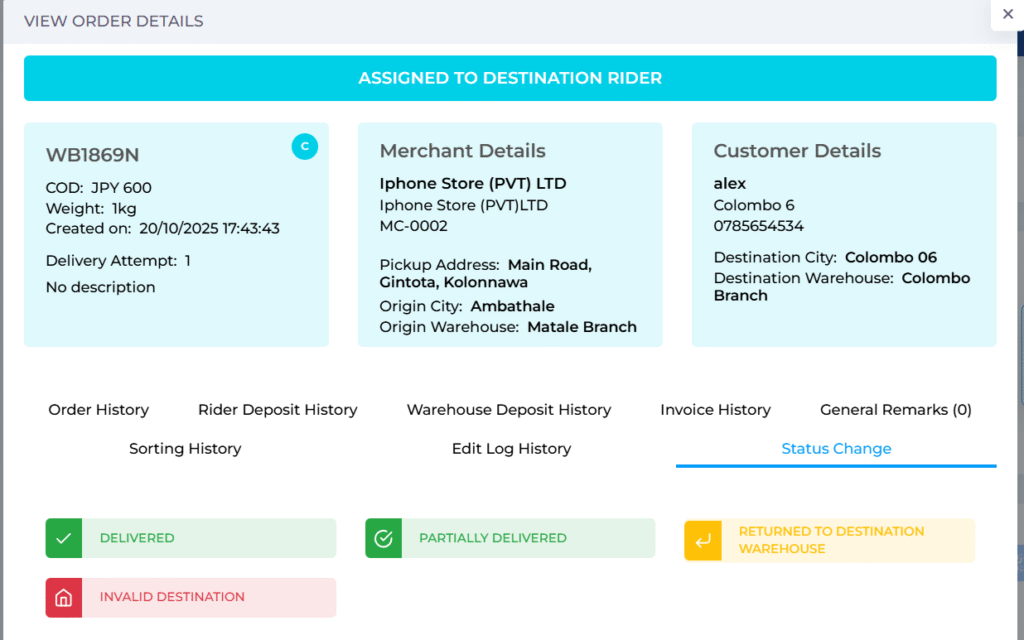
With this update, we’ve added a new “Status Change” tab inside the order details view, allowing you to perform individual order updates instantly.
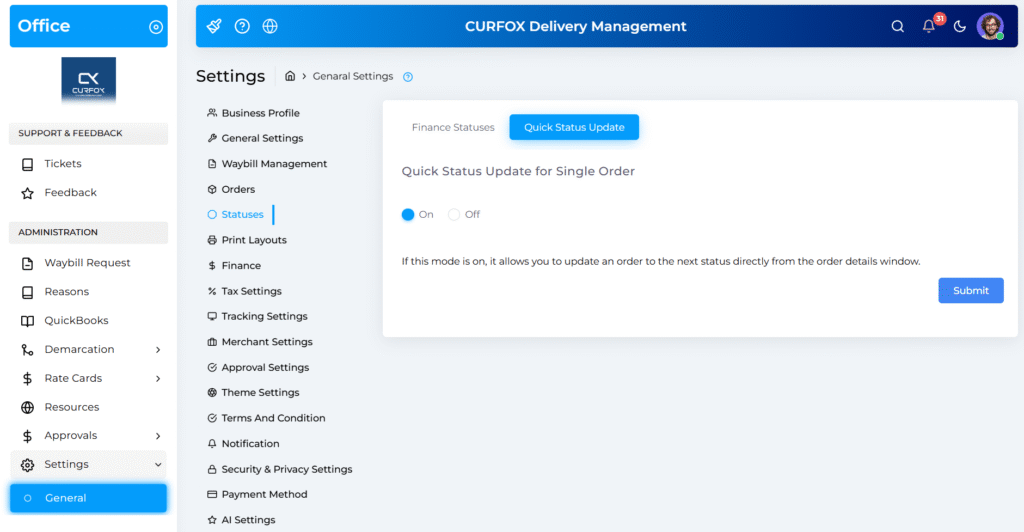
🛠️ For Administrators: Full Control
Administrators have complete flexibility in managing this feature:
- Enable or Disable: Go to Settings → Statuses → Quick Status Update to toggle the feature.
This ensures you can customize how and where the feature fits within your operational workflow.
⚙️ How It Works #
- Go to the All Orders page.
- Click on any Waybill Number to open its details view.
- Inside the details window, navigate to the new “Status Change” tab.
- You’ll see buttons for the next logical statuses available for that specific order.
- Example: If an order is currently “Confirmed”, you might see options like “Assign to Pickup Rider” or “Received at Warehouse.”
- Click on the desired status button — and the order will be updated instantly!
💡 Key Benefits #
- Increased Efficiency: Update individual orders directly without leaving the details screen.
- Smarter Workflow: The system displays only the relevant next statuses, reducing the chance of errors.
- Time-Saving: Streamline your daily operations by removing unnecessary steps.
✅ Summary #
The Quick Status Update feature is designed to make order management faster, smarter, and more user-friendly.
We’re confident this update will enhance your team’s efficiency and make managing individual orders smoother than ever.


